Home Control
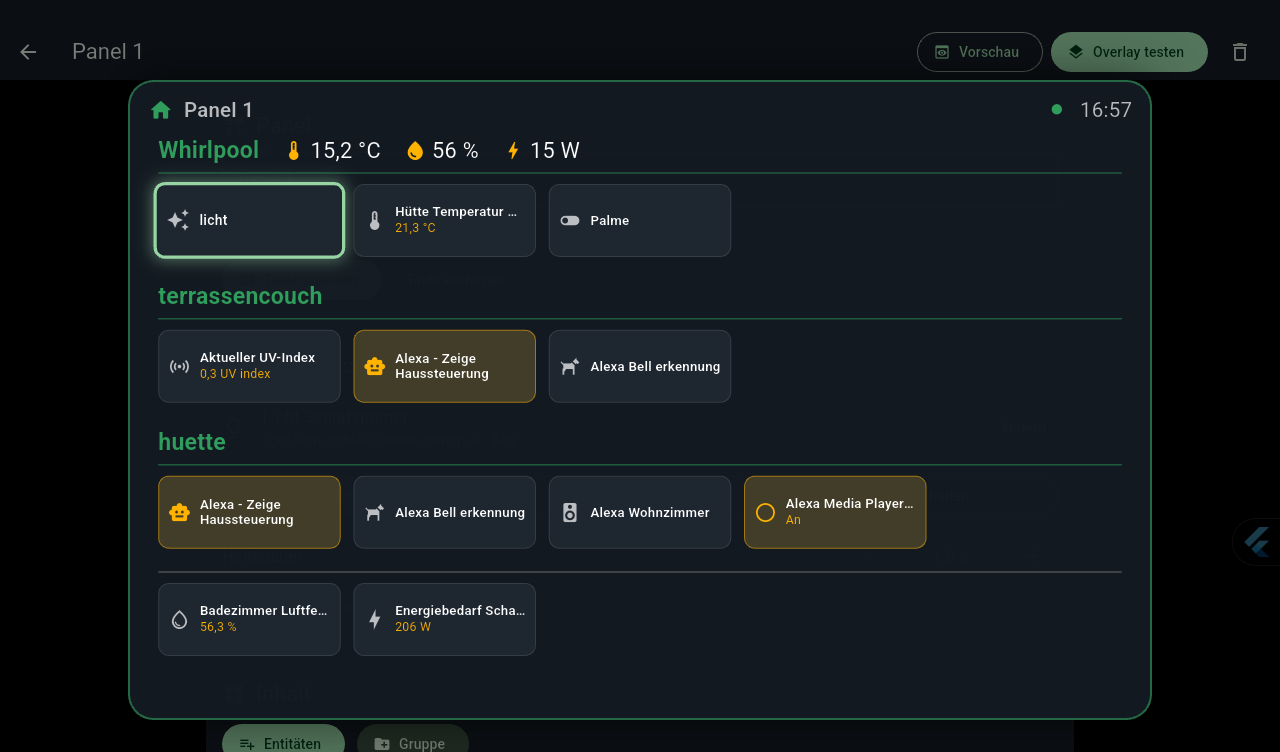
Press a button on your remote – and a panel with your Home Assistant devices pops up over the movie, Spotify or radio you're playing. Pick with the arrow keys, switch with OK, close with Back. The video simply keeps playing.
Why does this exist?
Home Control started out as a replacement for QuickBars: on newer Xiaomi boxes it could no longer learn remote buttons. Instead of getting annoyed, I built my own panel – and added a doorbell while I was at it, so you still notice the ring even when the movie is loud.
What it can do
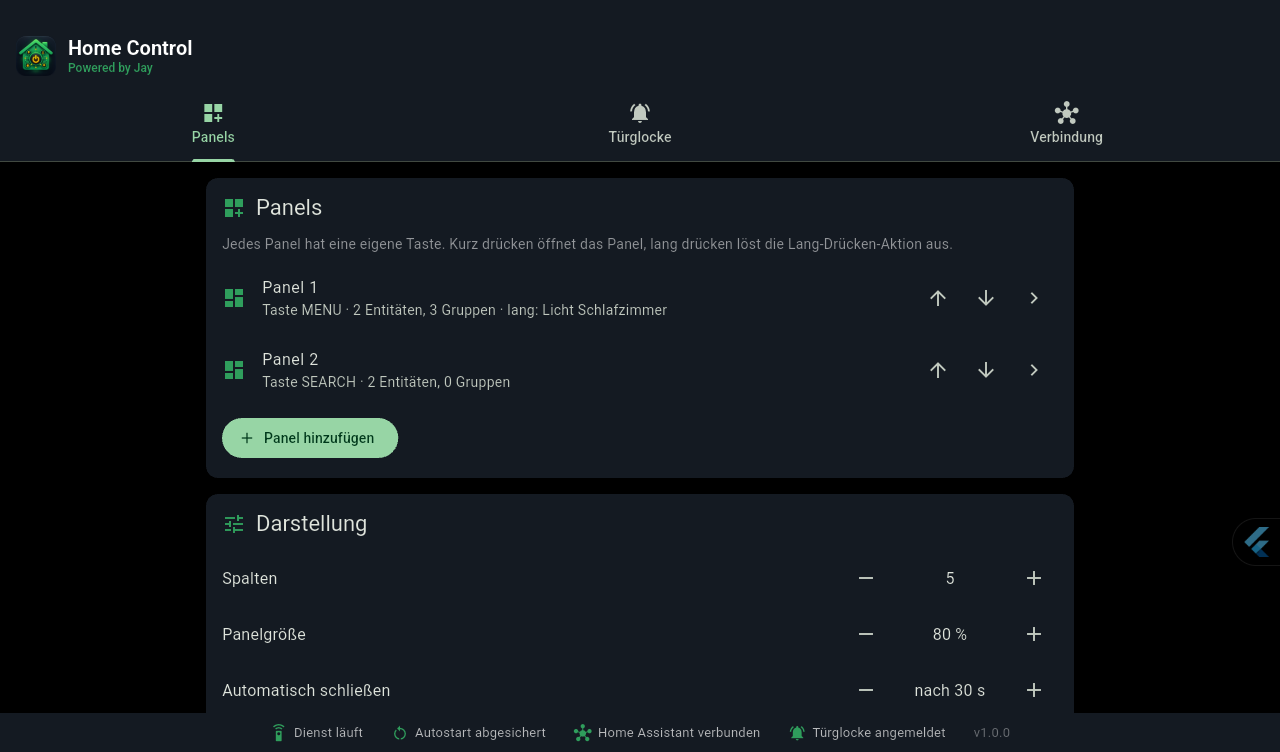
Panels at the push of a button
Any free button on your remote can be learned – even several panels, each with its own button.
Groups with readings
“Hot tub 🌡 35 °C 💧 58 % ⚡ 120 W” – temperature, humidity and power consumption right in the heading.
Switch almost anything
Lights, switches, blinds, climate, media players, locks, scenes, scripts, robot vacuums … Whatever is on glows amber.
Long press
A short press opens the panel, a long press triggers an action – with a progress ring so nothing happens by accident.
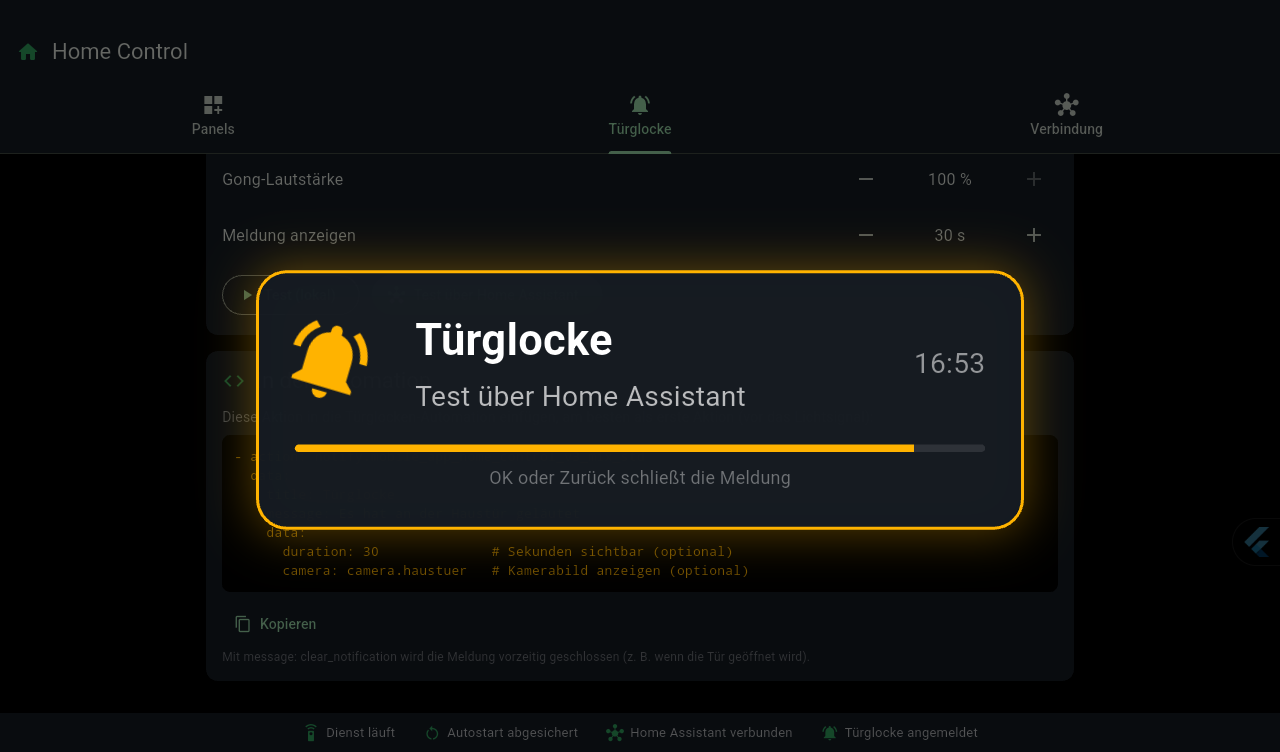
Doorbell on your TV
Chime, notification and optionally a camera image on top of everything. The music only dips briefly and then keeps playing.
Fully local
It connects directly to your Home Assistant on your home network. No cloud, no account, no tracking.
What it looks like
Set up in five minutes
- Install the APK – download the latest APK
(older versions), e.g. via
adb install. - Turn on the background service under Settings → Accessibility → Home Control Panel. It's only needed to catch button presses and show the panel – the app does not read anything on your screen.
- Connect Home Assistant: “Search” finds the instance on your network. You can conveniently enter the token in your phone's browser instead of typing it with the remote.
- Create a panel, learn a button and add devices and groups – done.
The detailed guide, including the doorbell automation, is in the README on GitHub.
Requirements
- Android TV / Google TV or an Android tablet running Android 7 or later (tested on a Xiaomi Mi Box with Android 14).
- Home Assistant on your local network and a long-lived access token.
- For the doorbell, the
mobile_appintegration (included in the default configuration).
License
Home Control is licensed under the PolyForm Noncommercial 1.0.0: free to use and modify for private and non-commercial purposes, including clubs, schools and non-profit organizations. Selling it, offering it as a paid service or building it into commercial products is not allowed.
Home Control is a hobby project. It switches real devices – check your automations and use the app at your own risk. Home Assistant is a project of the Open Home Foundation; Home Control is independent of it and not affiliated with Home Assistant.